DeckBridge for DaVinci Resolve
Every Resolve command.
One deck. Live Feedback.
DeckBridge is a Stream Deck plugin for DaVinci Resolve - not a profile pack. Keys light with real playback state, fire your keyboard bindings, and re-skin as you move between Resolve's pages.
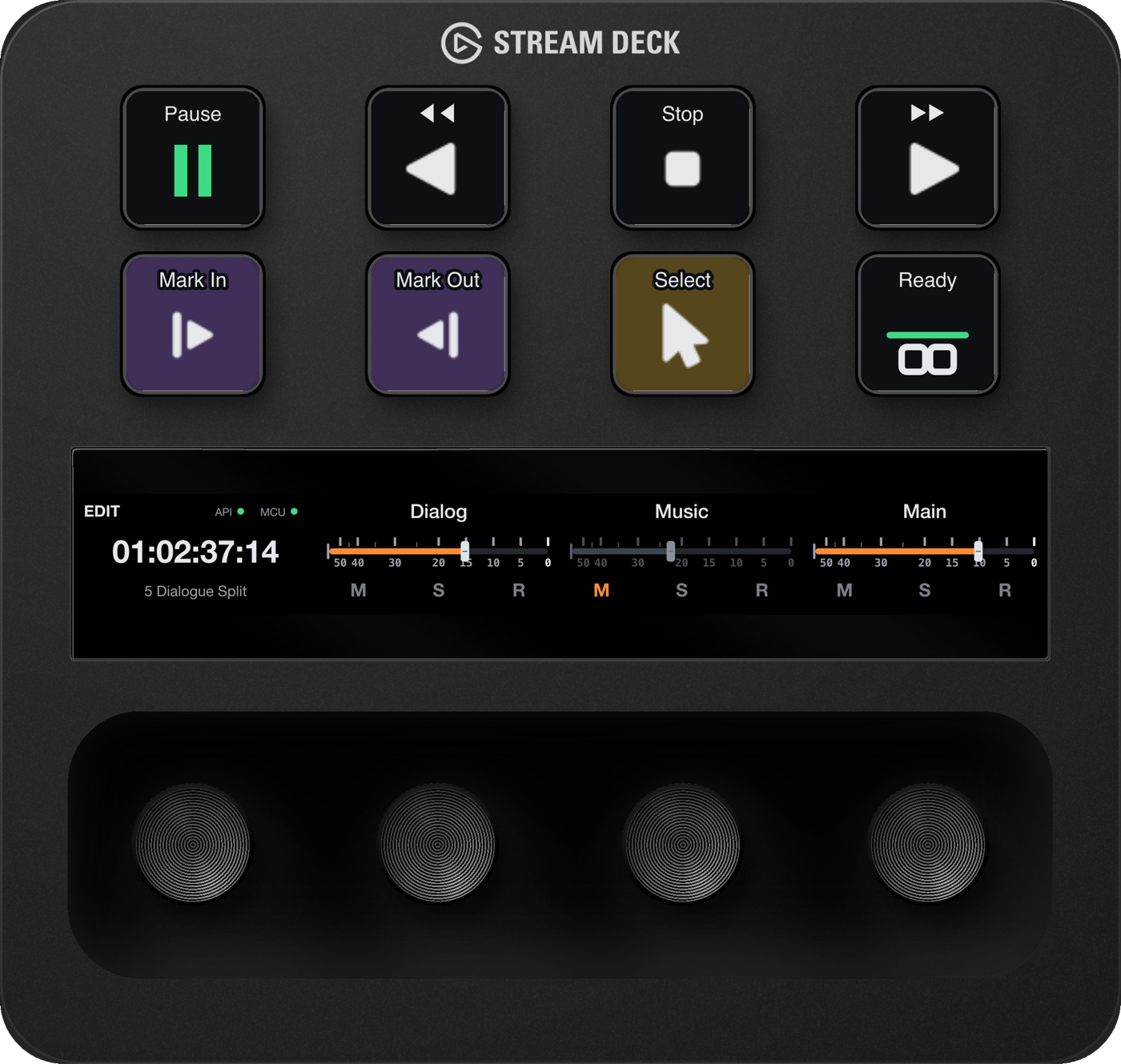
Edit page on a Stream Deck +
At a glance
- DaVinci Resolve
- Free and Studio, versions 19, 20 and 21
- Operating system
- macOS 13 or later · Windows 11 (Windows 10 runs keystroke-only, best effort)
- Stream Deck app
- Version 7.1 or later
- Stream Deck devices
- Stream Deck +, MK.2, XL, Mini, Neo, Studio, + XL and Galleon 100 SD
Live state
Keys follow Resolve. Live Feedback.
The deck morphs with the page you're on - Edit, Color, Fairlight. Rebind in Resolve and the keys relabel: your keymap, imported. Timecode and channel strips ride the touch strip and dials.
Command library
1055 commands. Curated art for every one.
Every keystroke Resolve exposes - with icons drawn for the deck, not shrunk from a toolbar. Commands without a binding grey out honestly, and light up the moment you assign one. Browse the full reference →

Colour law
Colour that means something
Competing packs colour keys by Resolve page - telling you what you already know. DeckBridge colours by what a key does, with hues borrowed from Resolve's own interface language, washed at 14% so the glyph always wins.
Trust
What you're trusting it with
The plugin's permission model, in the same words as the marketplace listing - so support never has to improvise.
Resolve Free works out of the box - a bundled bridge on 21.0 and earlier, the accessibility reader on 21.1+ (no timecode there).
No telemetry, no network calls: nothing leaves your machine.
Guided setup asks before it touches MIDI - and backs up what it changes.
DeckBridge recommends Resolve Studio for all features - live timecode and your real track names included.
Walkthrough
See it move
From install to a deck that follows Resolve - the full walkthrough.
Also from DeckBridge
DeckBridge for Cursor
DeckBridge for Cursor keeps your Cursor Grok Bot weekly budget - and every other Cursor usage meter - live on Stream Deck keys: percentage burned, reset countdown and on-demand spend, refreshed in the background with nothing leaving your machine. macOS, on the Elgato Marketplace. Meet DeckBridge for Cursor →
Get it
Available now
DeckBridge is live on the Elgato Marketplace - one click installs it into the Stream Deck app, and the setup guide takes it from there.
